If you no longer want us to keep your account or your family's messages, you can delete them from your account or ask by email. Deletion removes your family members, orders, and the letters, recordings and videos we made for them; it cannot be undone.
Delete from your account
When you are ready to delete, follow these steps on mysantaletters.com:
- Sign in, select your avatar at the top of the page, then choose Manage account. In the window that opens, choose Data & privacy.
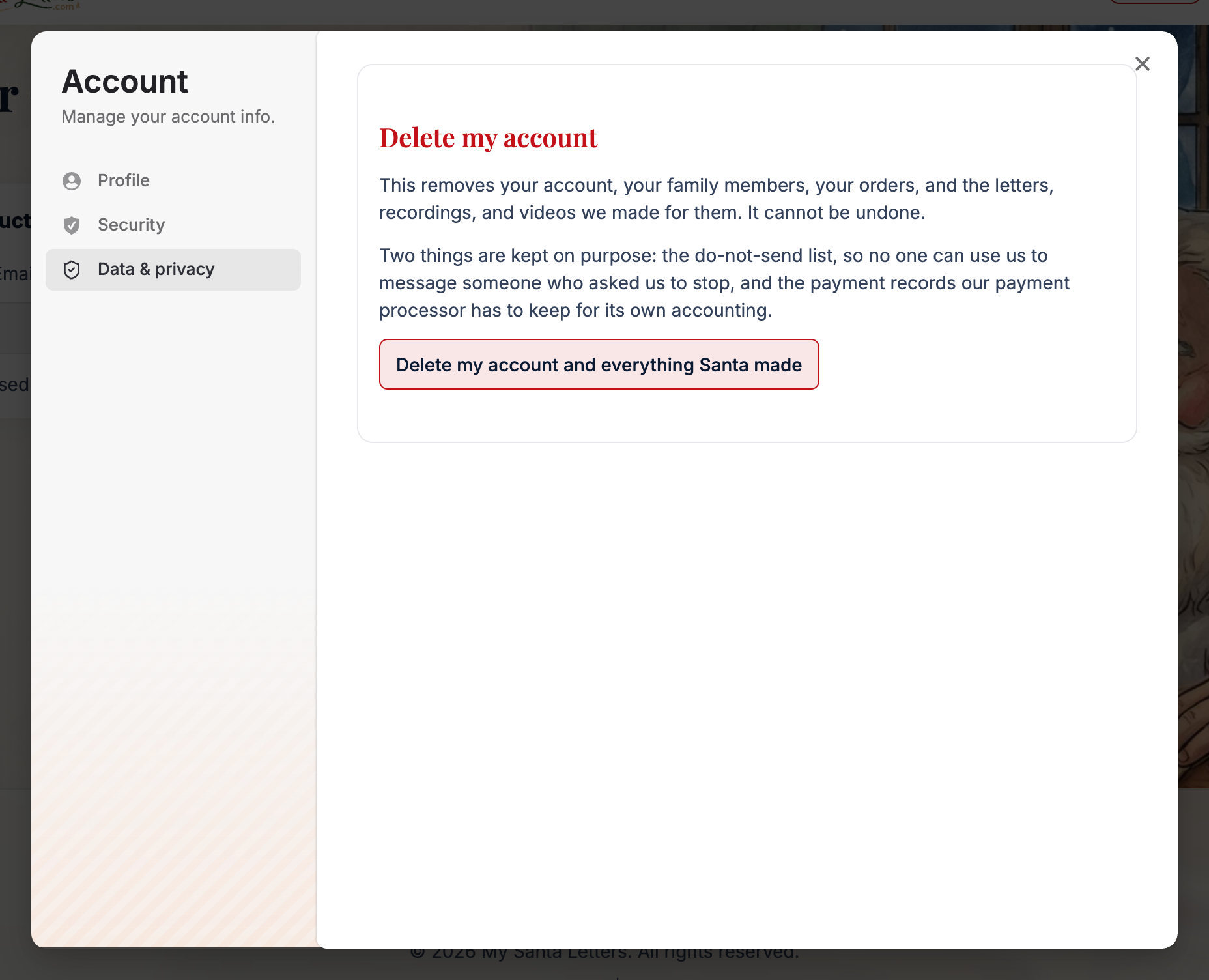
- In Delete my account, read what will be removed, then choose Delete my account and everything Santa made.
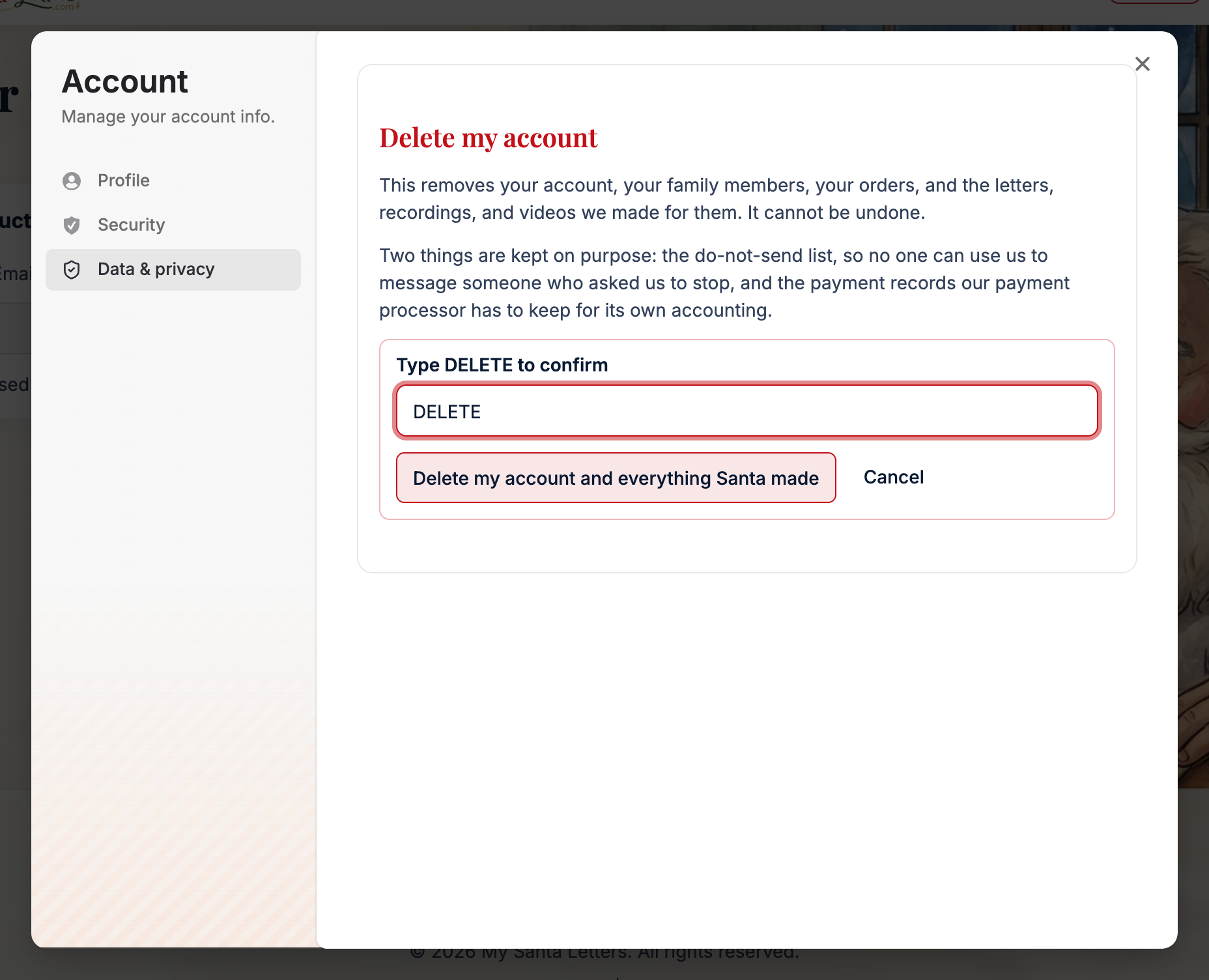
- In Type DELETE to confirm, enter DELETE in uppercase. Choose Delete my account and everything Santa made again to confirm, or Cancel to leave your account unchanged.
If the notice starts “You have a message still on its way”, deletion has not gone through. Choose See your orders. Wait until the message is sent, or email support@mysantaletters.com to ask about cancelling, then try deleting again. See Asking for a refund or cancelling for the terms.
Ask by email
Email support@mysantaletters.com from the email address on your account and ask us to delete your account and data.
We will confirm that we received your request within 10 business days, and we complete a deletion within 30 days.
What happens next
After successful self-serve deletion, the screen says Your account is deleted, then signs you out.
If a recipient opts out, or a message to them bounces or is reported, we keep that email address on a do-not-send list for good, so no one can send them another message through us.
Our payment processor also keeps its own record of each transaction, for fraud prevention and for legal reasons; a deletion request to us does not reach that record.
Related
Still stuck? Email support@mysantaletters.com.
Was this article helpful?
That’s Great!
Thank you for your feedback
Sorry! We couldn't be helpful
Thank you for your feedback
Feedback sent
We appreciate your effort and will try to fix the article