Review messages marked Approval needed before their send time. Dated messages can be approved automatically as it approaches.
Rewrite policy:
Before you approve anything, you can edit what Santa wrote or ask him to try again: up to five rewrites each for an email, text message or letter, and up to three changes to a video script. Once a video has been filmed, it is final.
A paid re-film is available for eligible, unsent finished videos. Script and scene lock when filming starts.
Review a text, email or letter
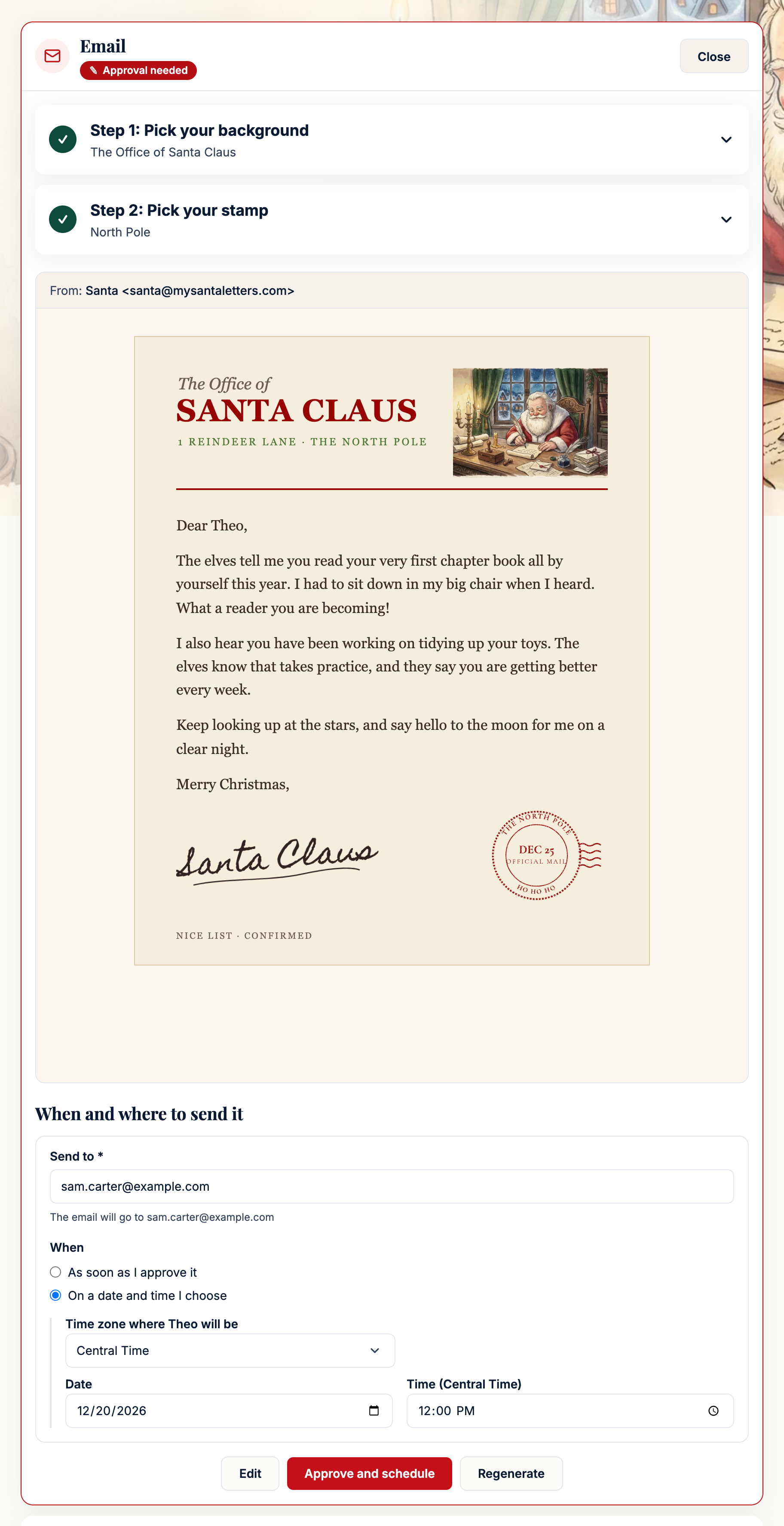
Review each message:
- Open Your Orders, choose your purchase, then product and child as needed.
- Open Text Message, Email or Letter. To reveal the preview, complete any design steps: Choose your email design, or Pick your background, Pick your font (letters only) and Pick your stamp.
- Read the preview. Select Edit, then Save, to change words, or Regenerate for another draft.
- Complete When and where to send it; for texts, read and tick the consent box.
- Select Approve and schedule.
A letter has no date to choose: all printed letters are sent to the printer on December 10th. Approve yours before then. A letter that is still not approved on December 10th is approved automatically so it makes the print run, and it is printed as it reads at that moment. A printed letter takes about 3 days to print and then typically 3 to 7 days in the mail, so allow 7 to 10 days from December 10th.
Review a video
For a first filming:
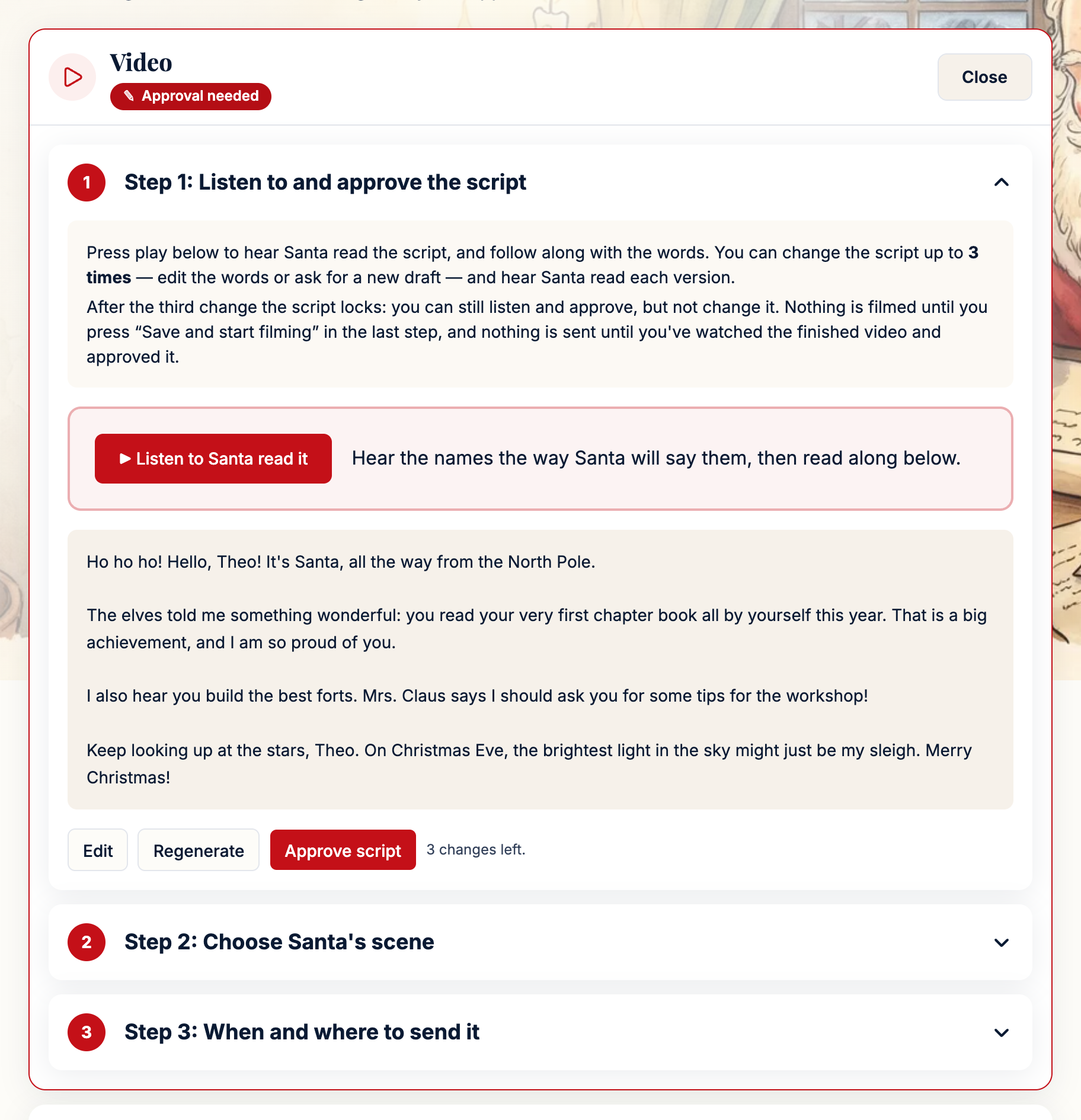
- Open Video, then Listen to and approve the script. Select ▶ Listen to Santa read it if shown, then press play. Use Edit and Save, or Regenerate, if needed.
- Select Approve script, choose any offered scene, and complete When and where to send it.
- Select Save and start filming, read the notice, then confirm Start filming.
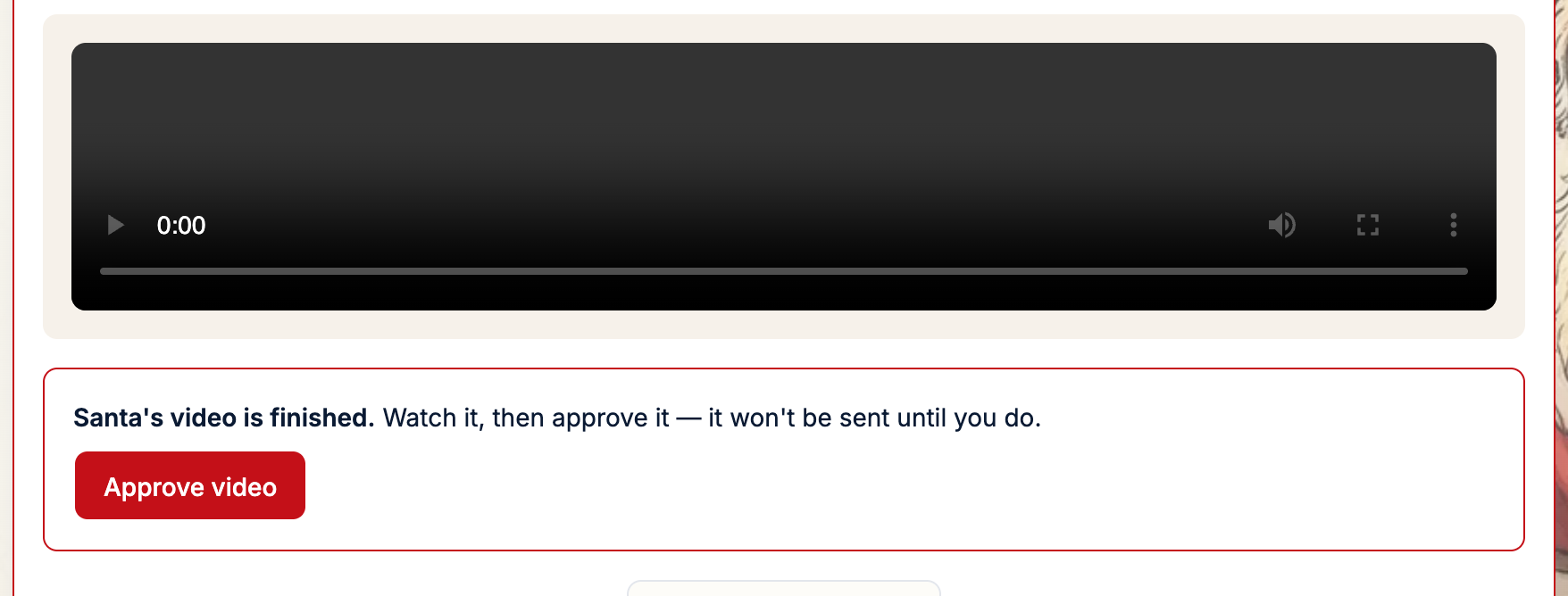
- When the video is ready, watch it and select Approve video.
What happens next
Approved messages follow their saved schedules. Sent messages cannot be edited or regenerated.
Related
Still stuck? Email support@mysantaletters.com.
Was this article helpful?
That’s Great!
Thank you for your feedback
Sorry! We couldn't be helpful
Thank you for your feedback
Feedback sent
We appreciate your effort and will try to fix the article